Design Intent
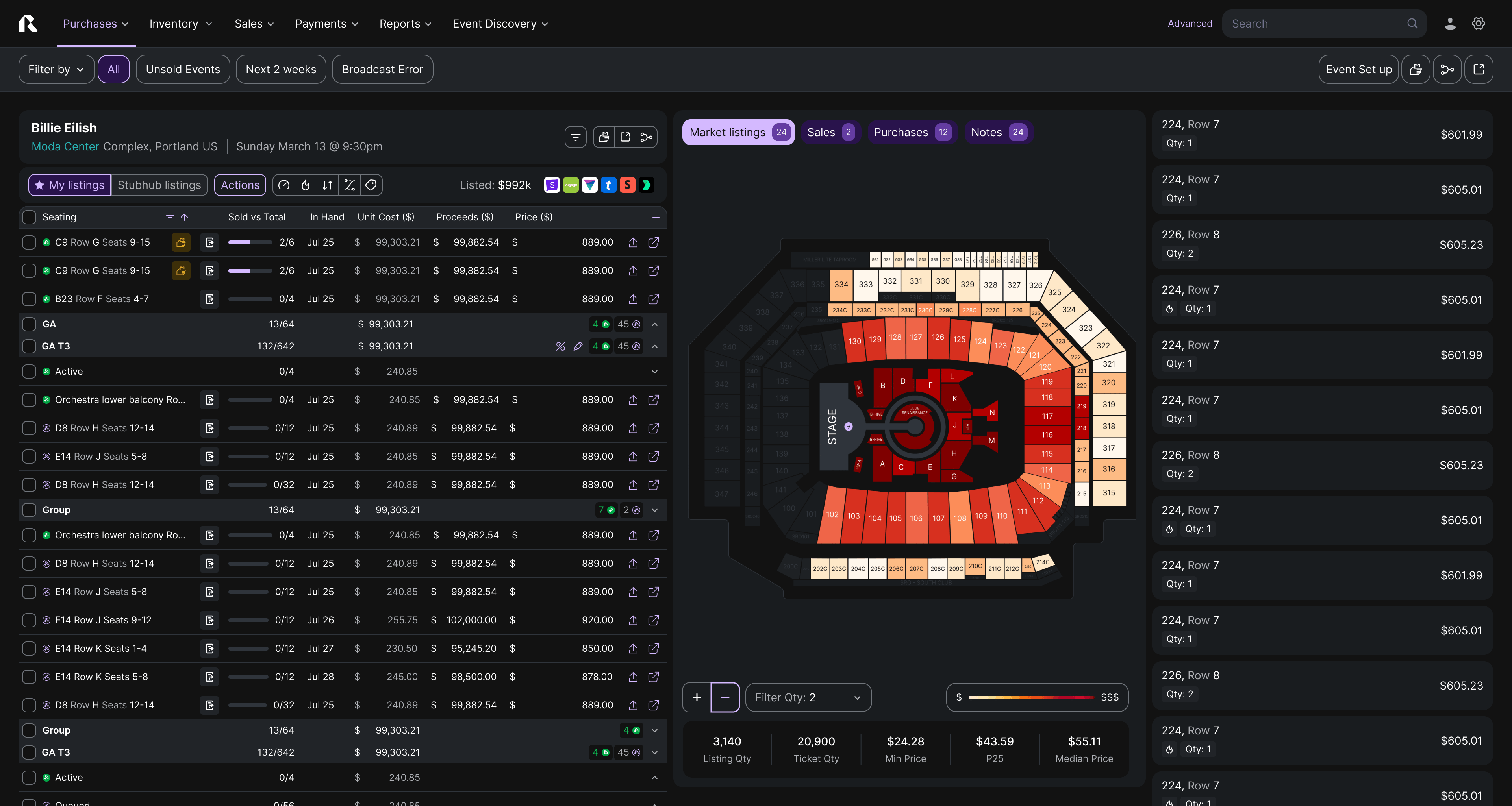
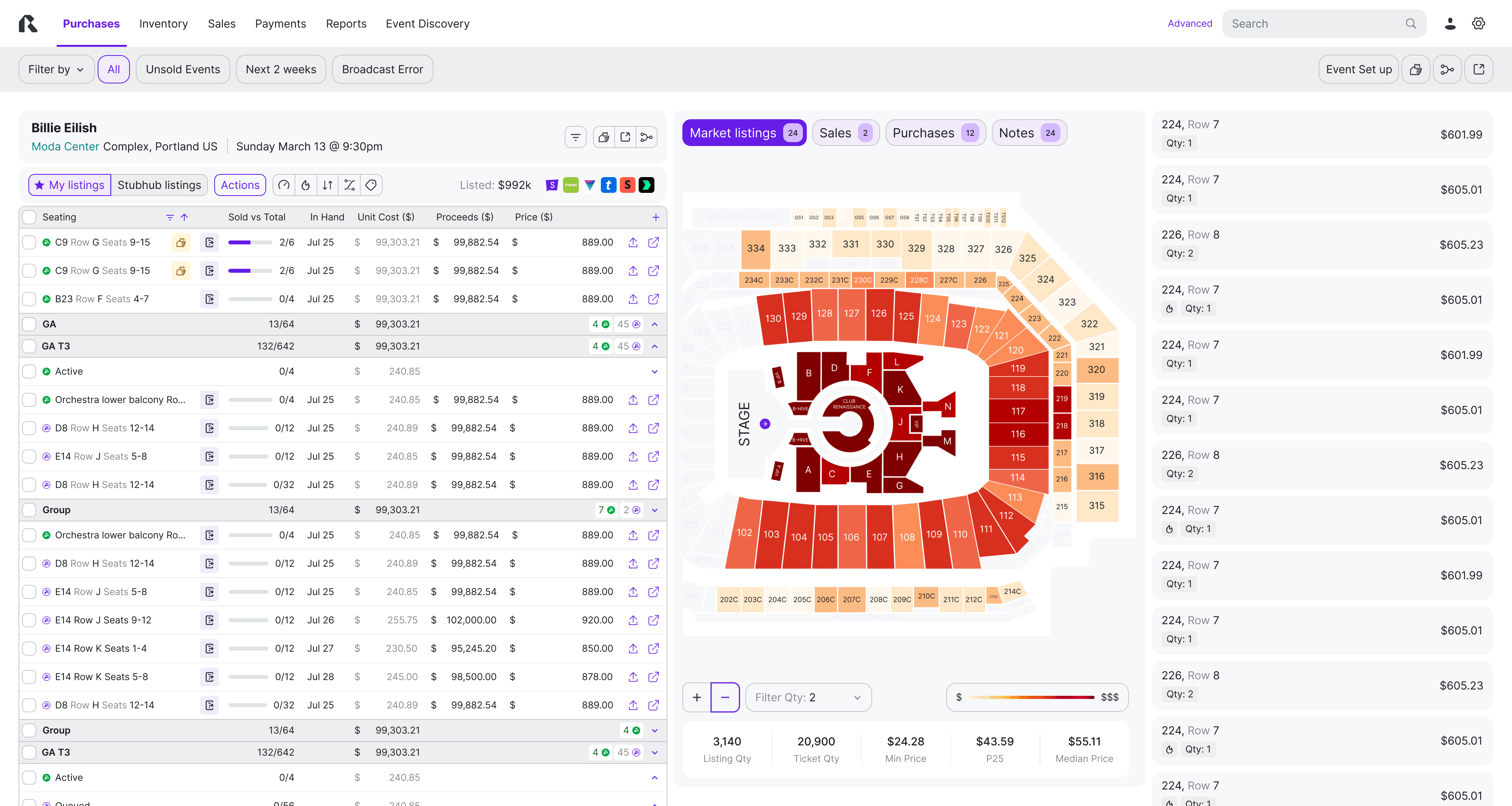
To support high-volume inventory management by visually bridging the gap between tabular data (listing attributes) & spatial context (venue location), reduce the cognitive load when price tickets.
Design Hypothesis
We believe that a synchronized Split View, allow users to cross-reference pricing and location. This should significantly reduce navigation time and errors compared to toggling between isolated views.
Design Solution
A responsive Three-Pane Split View optimized for large datasets
Pane 1: Scalable Data Table. The master view for granular listing attributes, allowing for deep cross-checking and filtering.
Pane 2: Interactive Map (1/4 Panel). A spatial reference featuring pricing heatmaps (color tones indicating price range). It acts as both a visualizer and a filter.
Pane 3: Listing Sidebar. A detail view for rapid pricing adjustments on selected items.
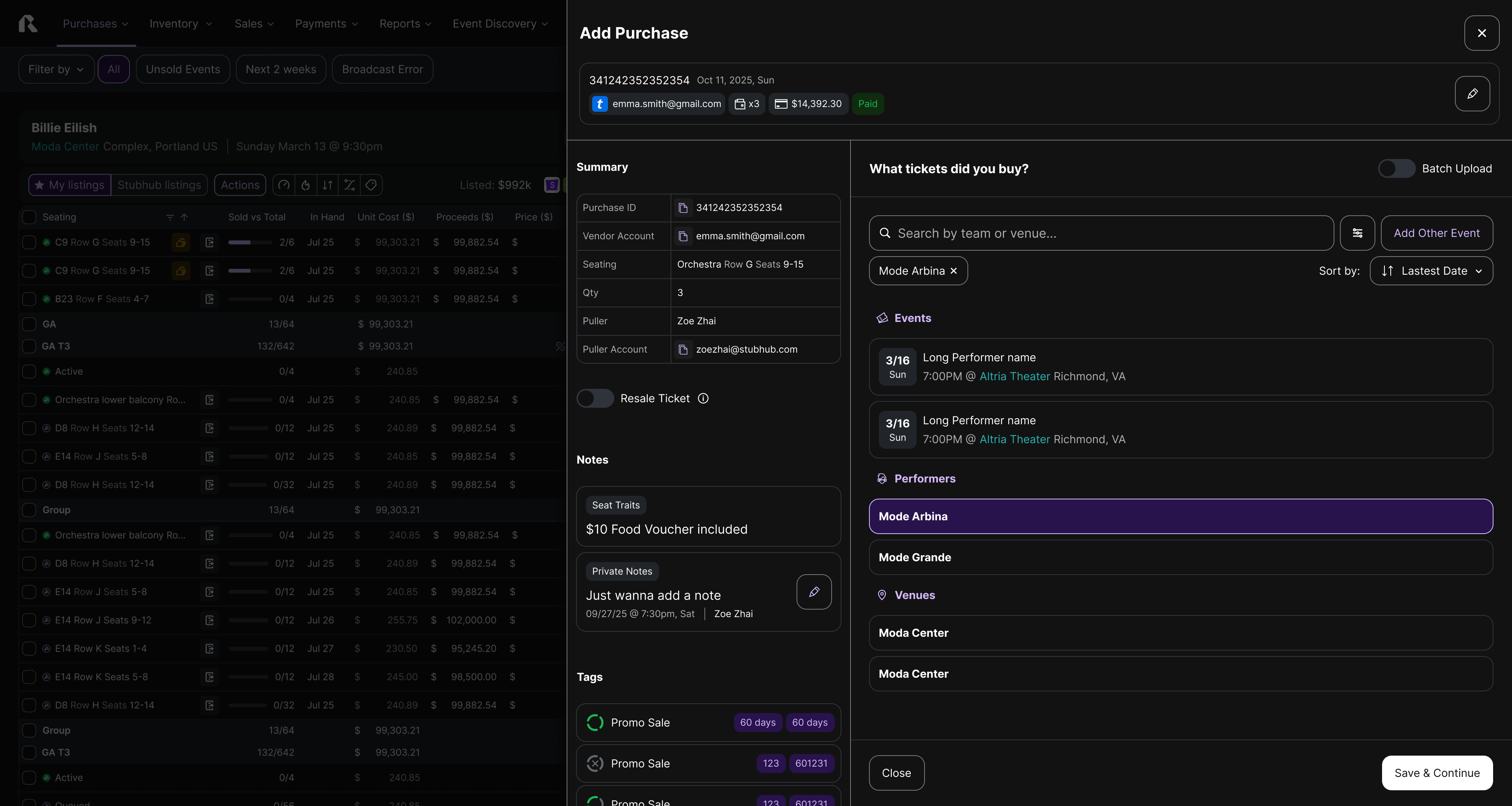
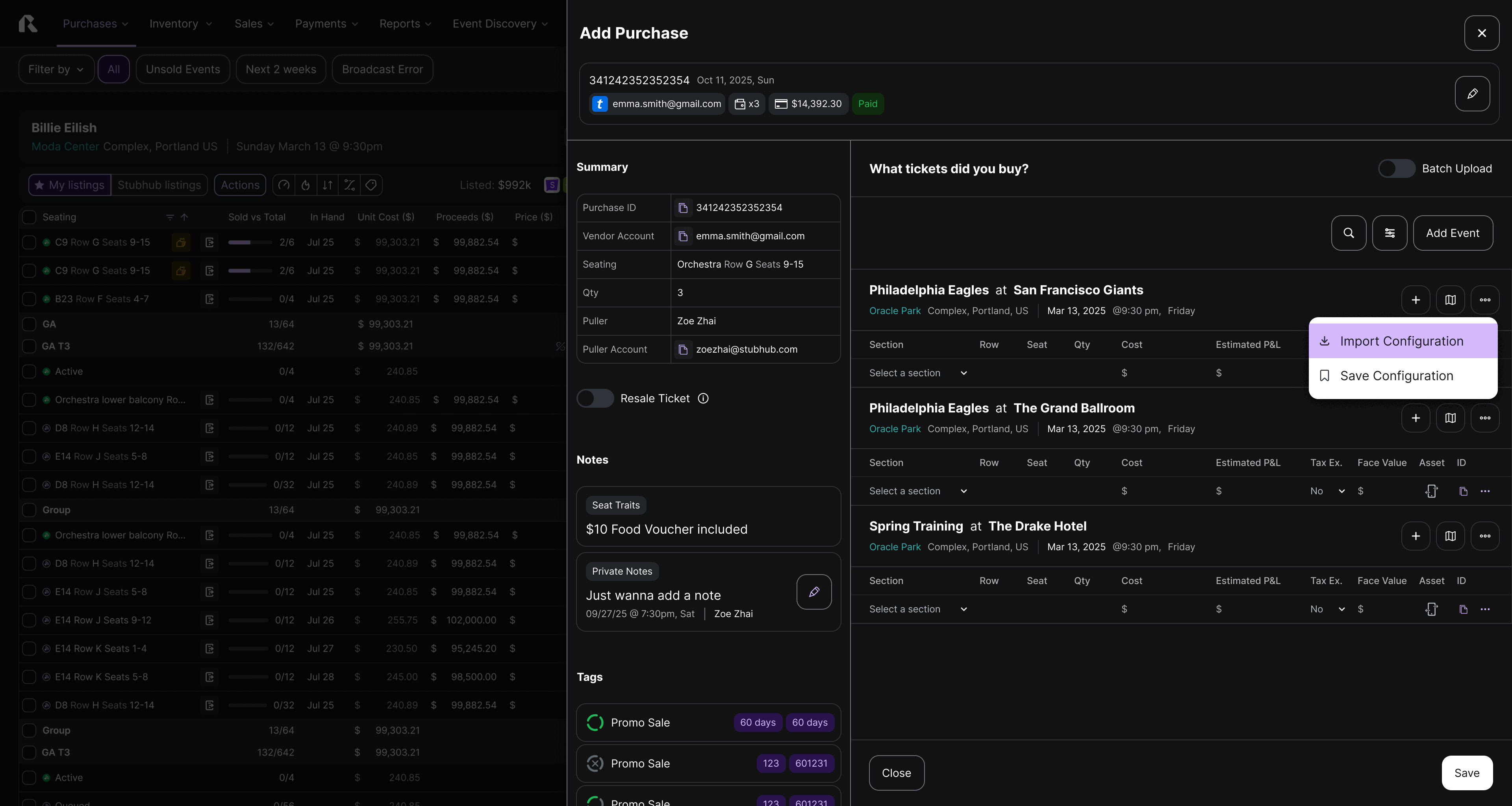
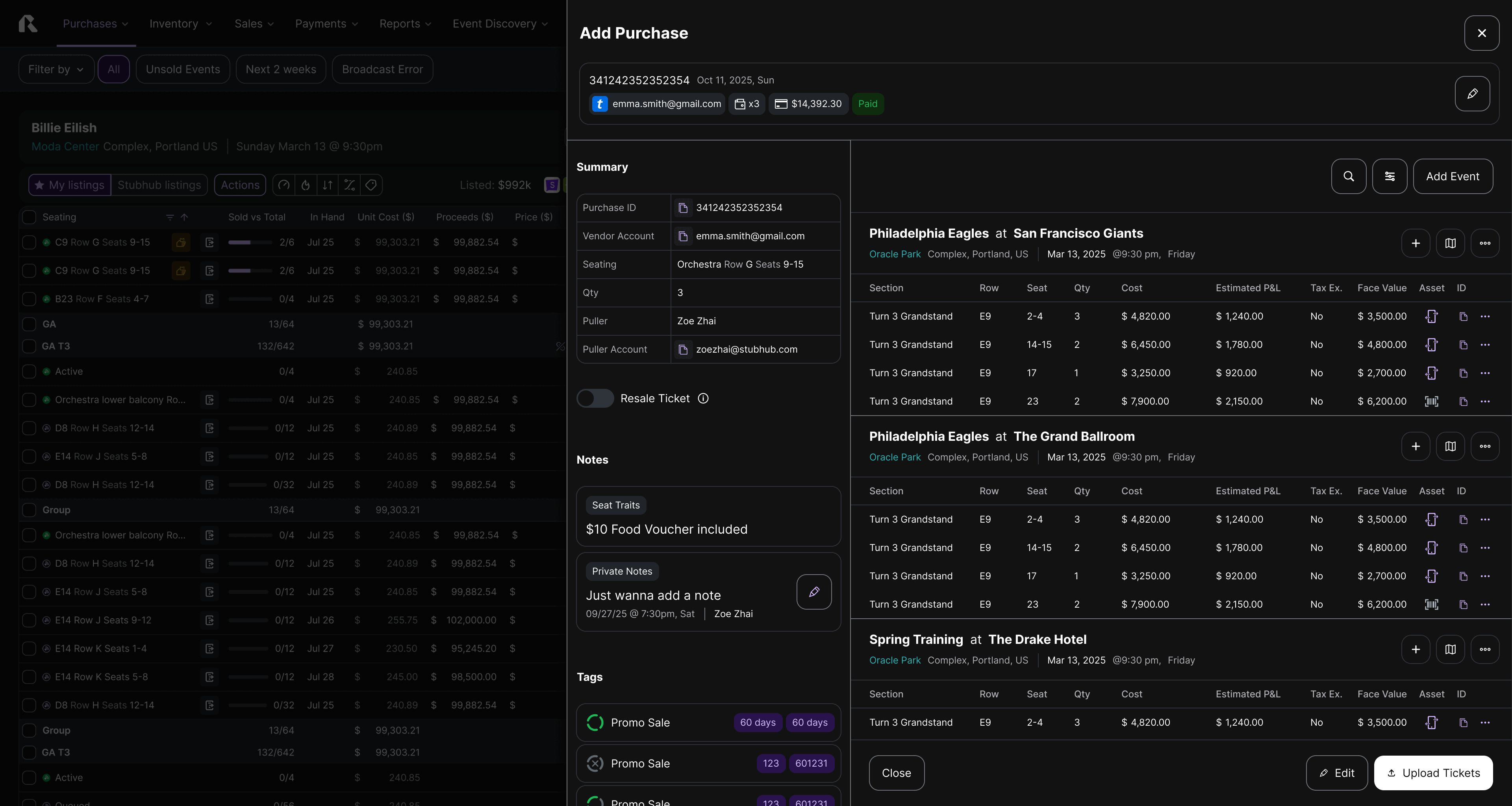
Add purchase flow - for broker
Design Intent
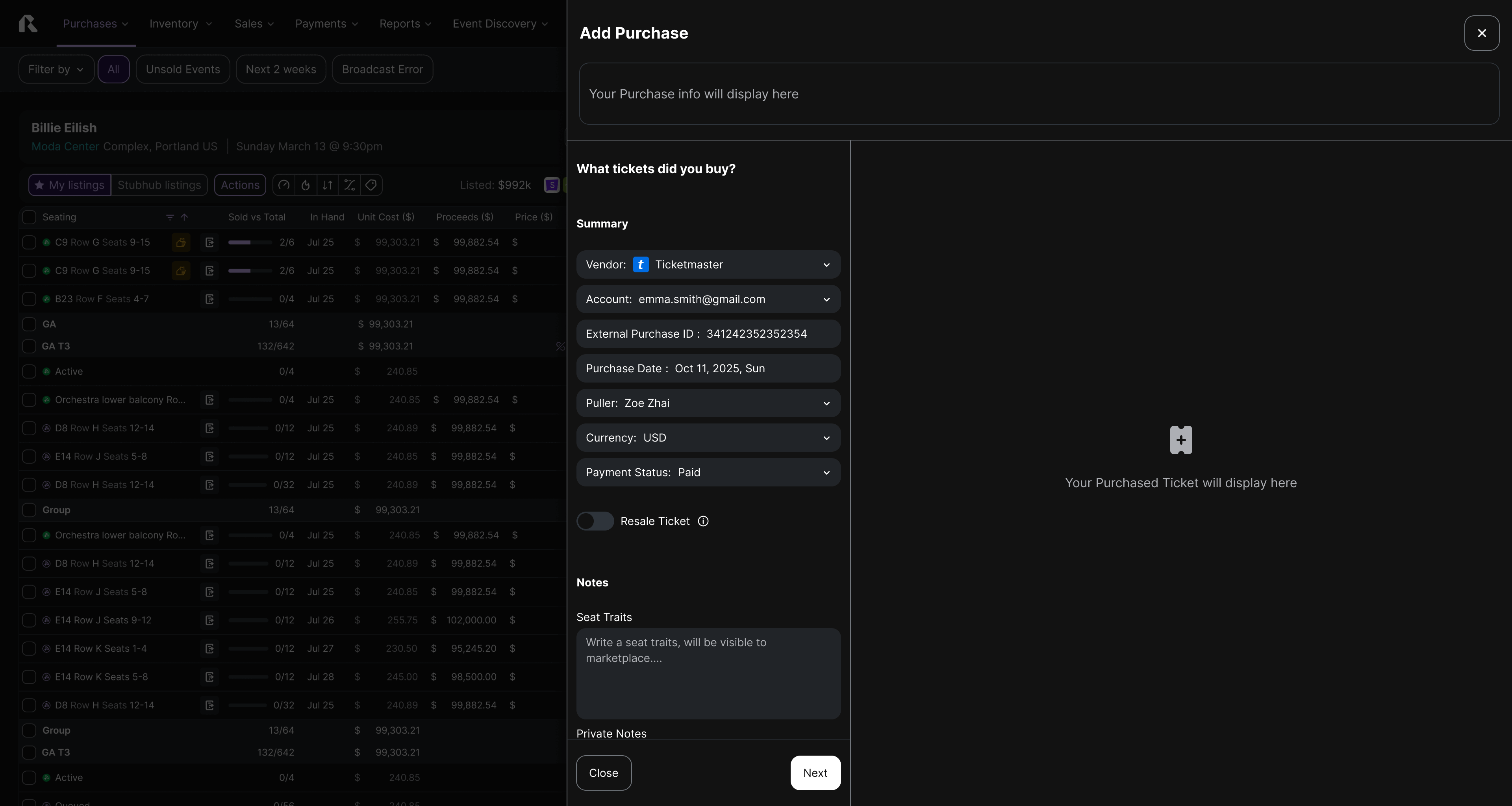
Enable brokers to add complex purchases efficiently while maintaining visibility into critical business context.
Design Hypothesis
By separating reference data from task execution, users can stay oriented and reduce data entry errors during high-pressure buying moments.
Design Solution
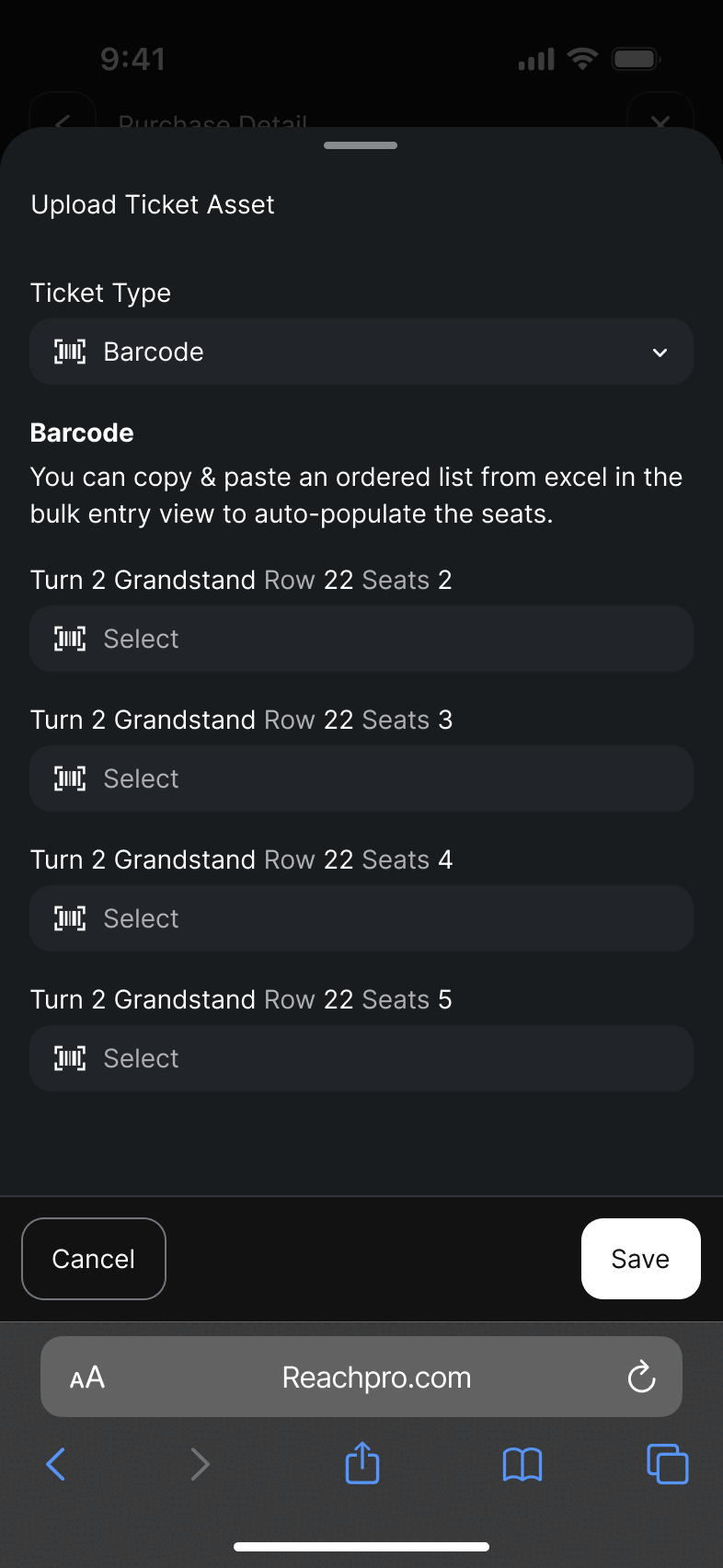
Left panel anchors persistent purchase facts (PO, account, payment summary) for quick cross-checking.
Right panel hosts dynamic input sessions for purchase creation, adapting to single or bulk workflows.This structure supports fast decision-making, minimizes cognitive switching, and reinforces data trust across Puller and Finance workflows.
Design Intent
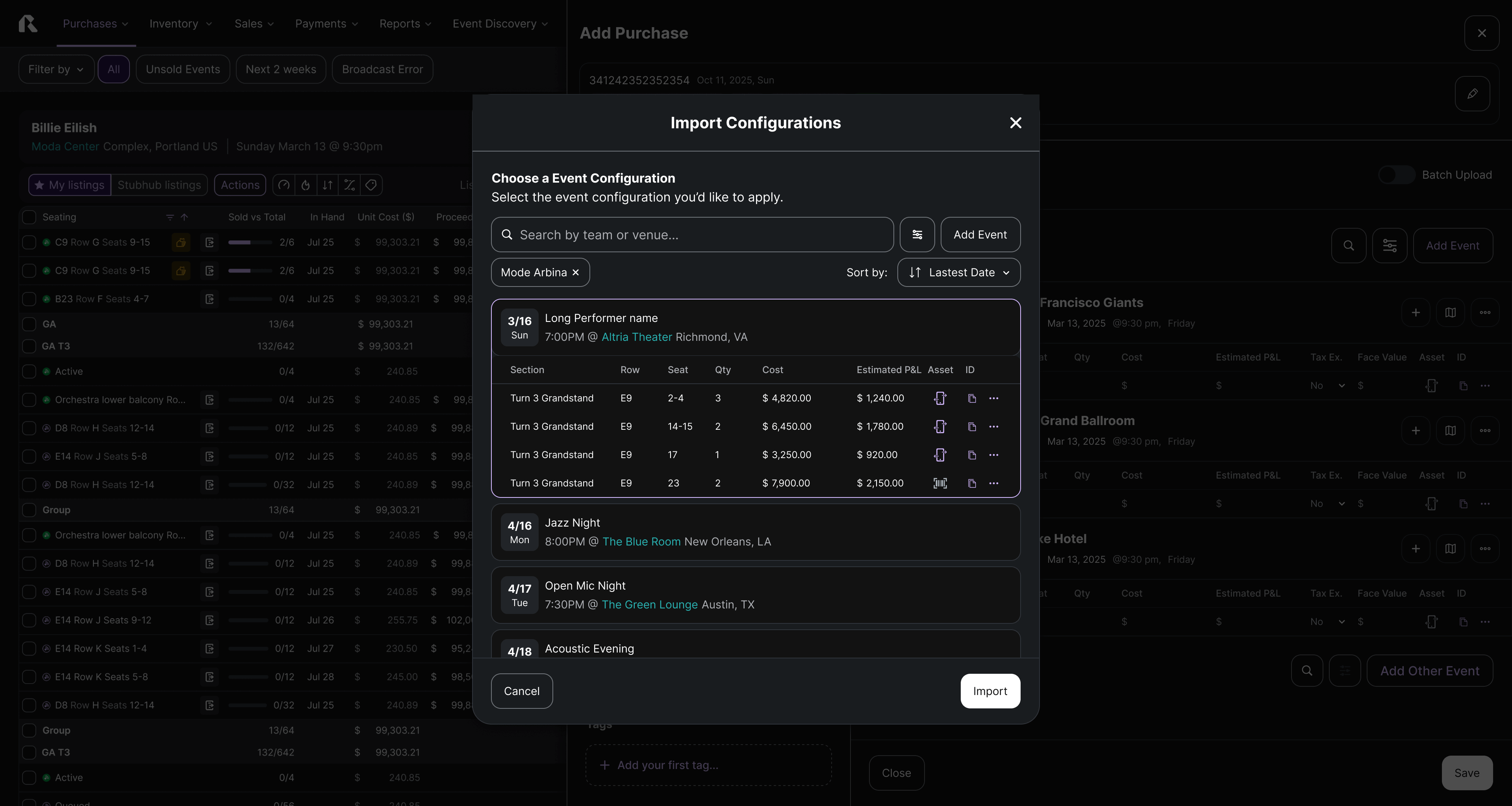
To accelerate inventory onboarding for high-volume brokers by transforming error-prone manual entry into a streamlined, bulk-import workflow that guarantees data integrity and speed.
Design Hypothesis
We believe that replacing a standard "black box" upload with a Guided Import Wizard featuring intelligent field mapping and pre-import validation will drastically reduce data formatting errors. This ensures brokers can successfully ingest thousands of tickets in minutes rather than hours.
Design Solution
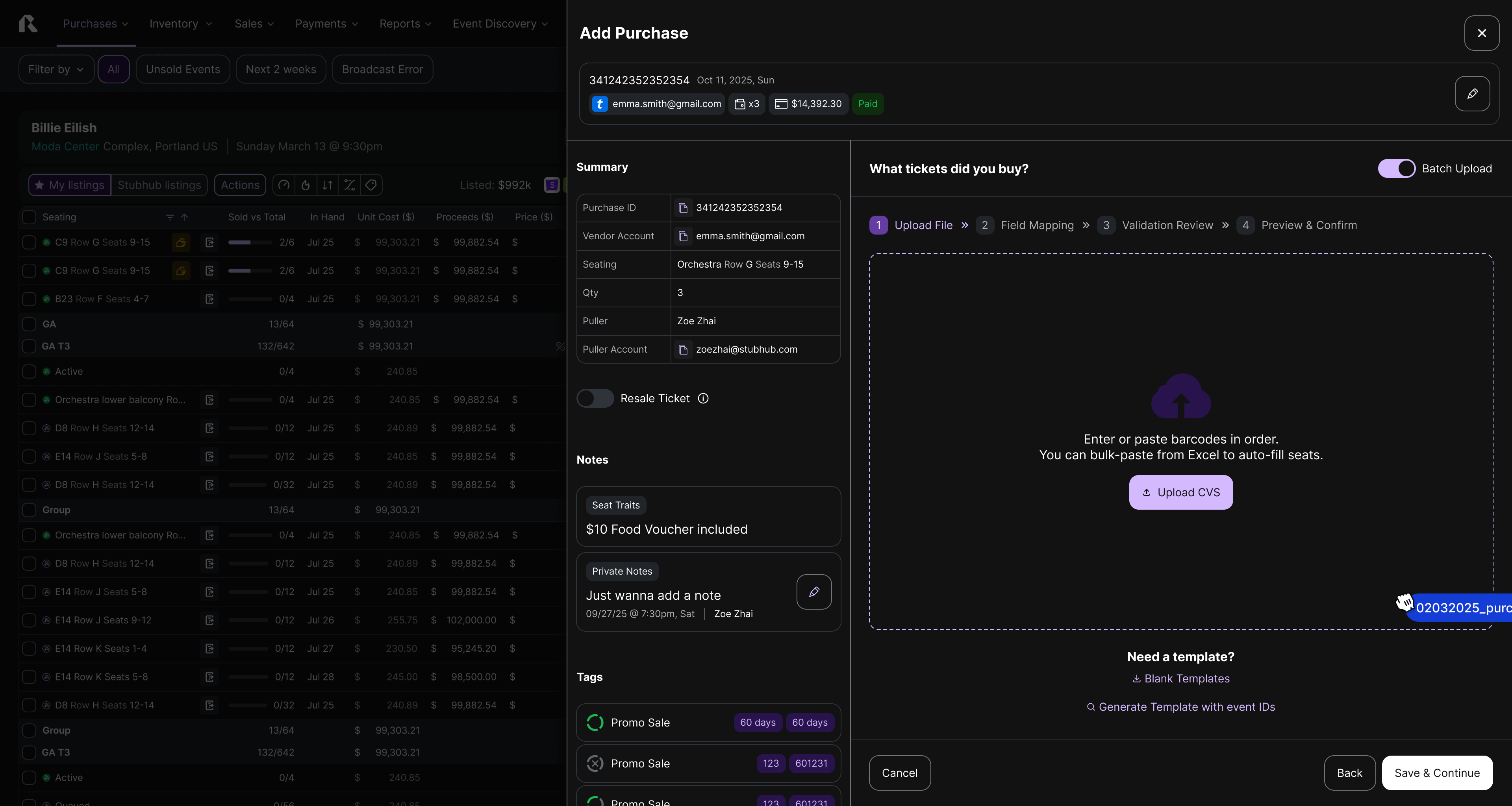
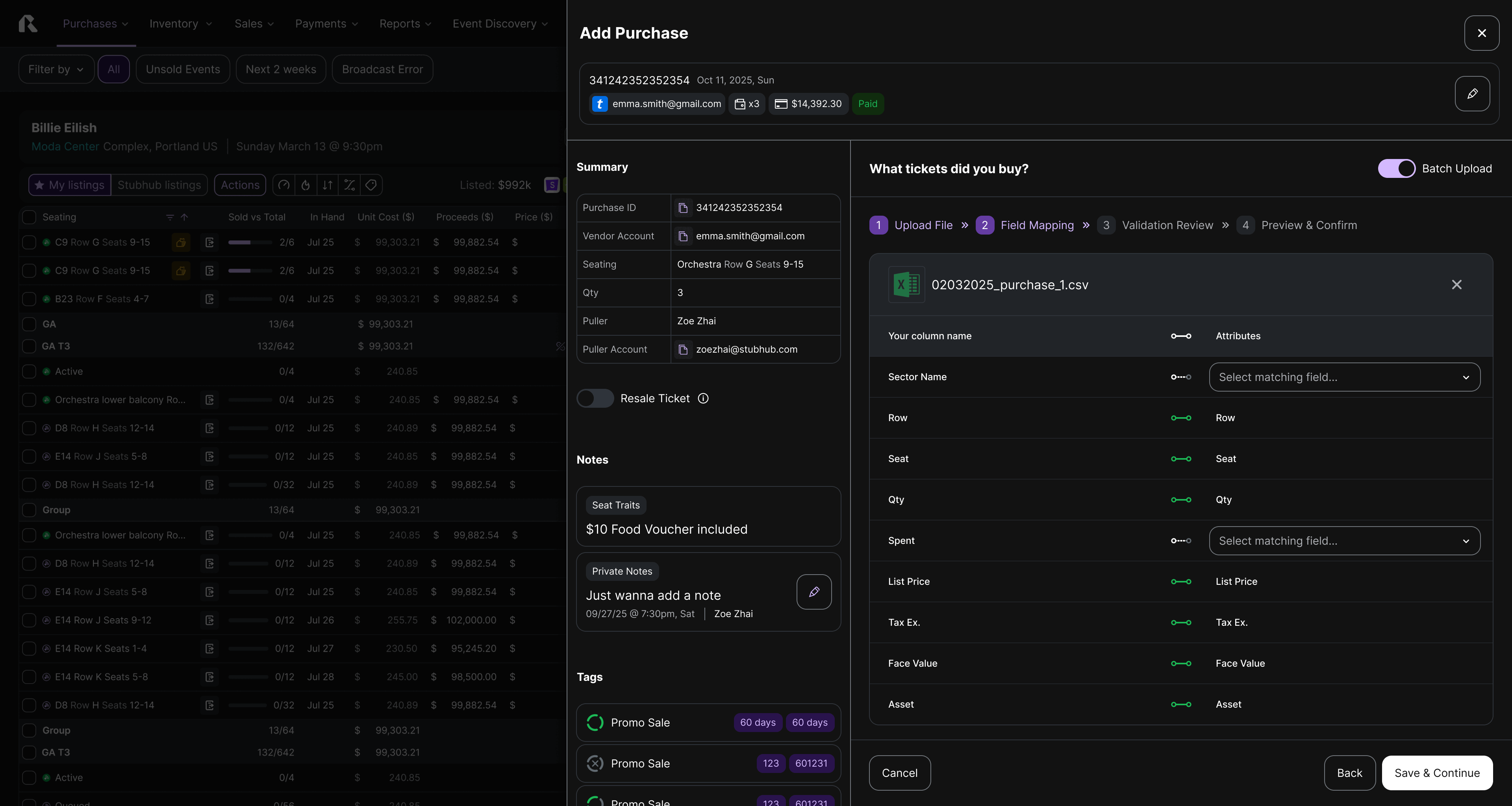
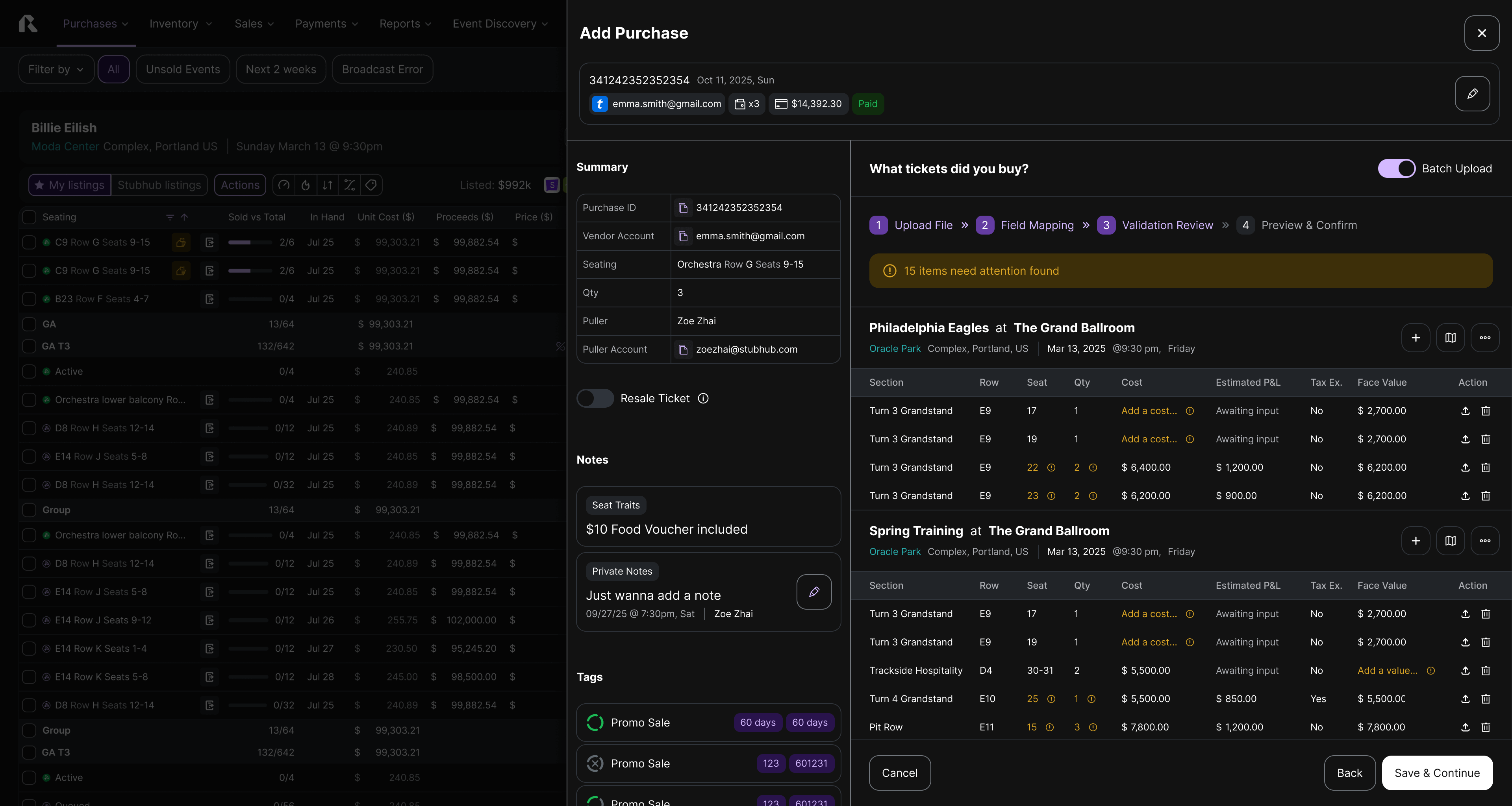
A linear 3-Step Import Wizard designed to prevent errors before they happen.
Template & Upload: Provides downloadable, event-specific templates to standardize input, minimizing initial formatting issues.
Smart Field Mapping: Automatically attempts to match Excel columns to system attributes, while giving users the flexibility to manually re-map distinct column headers.
Validation Review: A dedicated "error-check" stage that flags specific rows (e.g., invalid prices, duplicate seats) for correction prior to submission, ensuring 100% clean data entry.

Purchase Detail - for broker
Design Intent
Help brokers quickly evaluate and edit large ticket groups within a single view.
Design Hypothesis
If users can visually compare seating data and edit in bulk without leaving context, they’ll make faster, more accurate inventory adjustments.
Design Solution
Integrated a map component for section-based seat comparison and selection, paired with an inline edit mode that supports bulk updates directly on the table.This reduces repetitive page transitions, improves spatial understanding, and streamlines ticket management for high-volume brokers.A linear 3-Step Import Wizard designed to prevent errors before they happen.


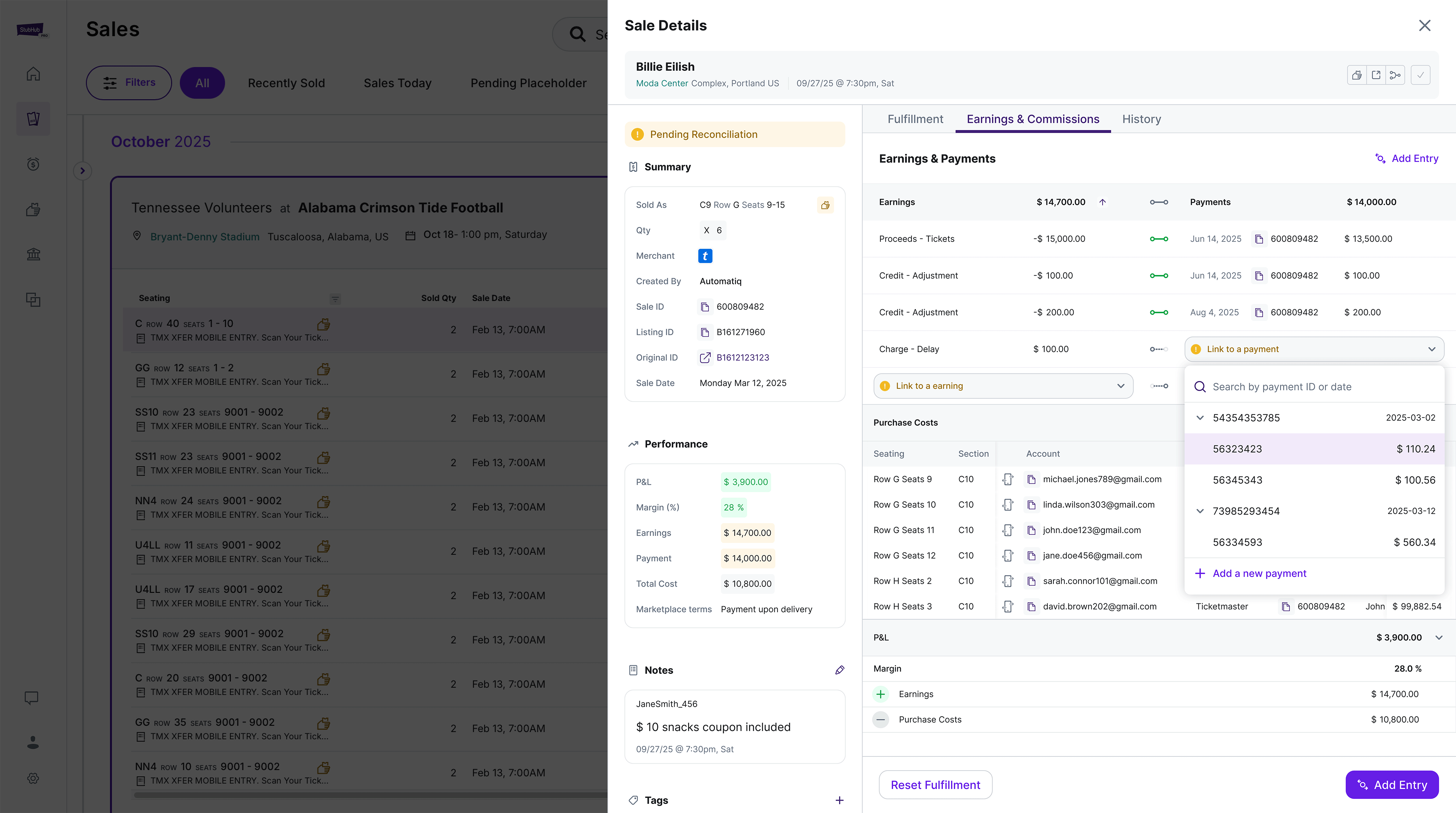
Design Intent
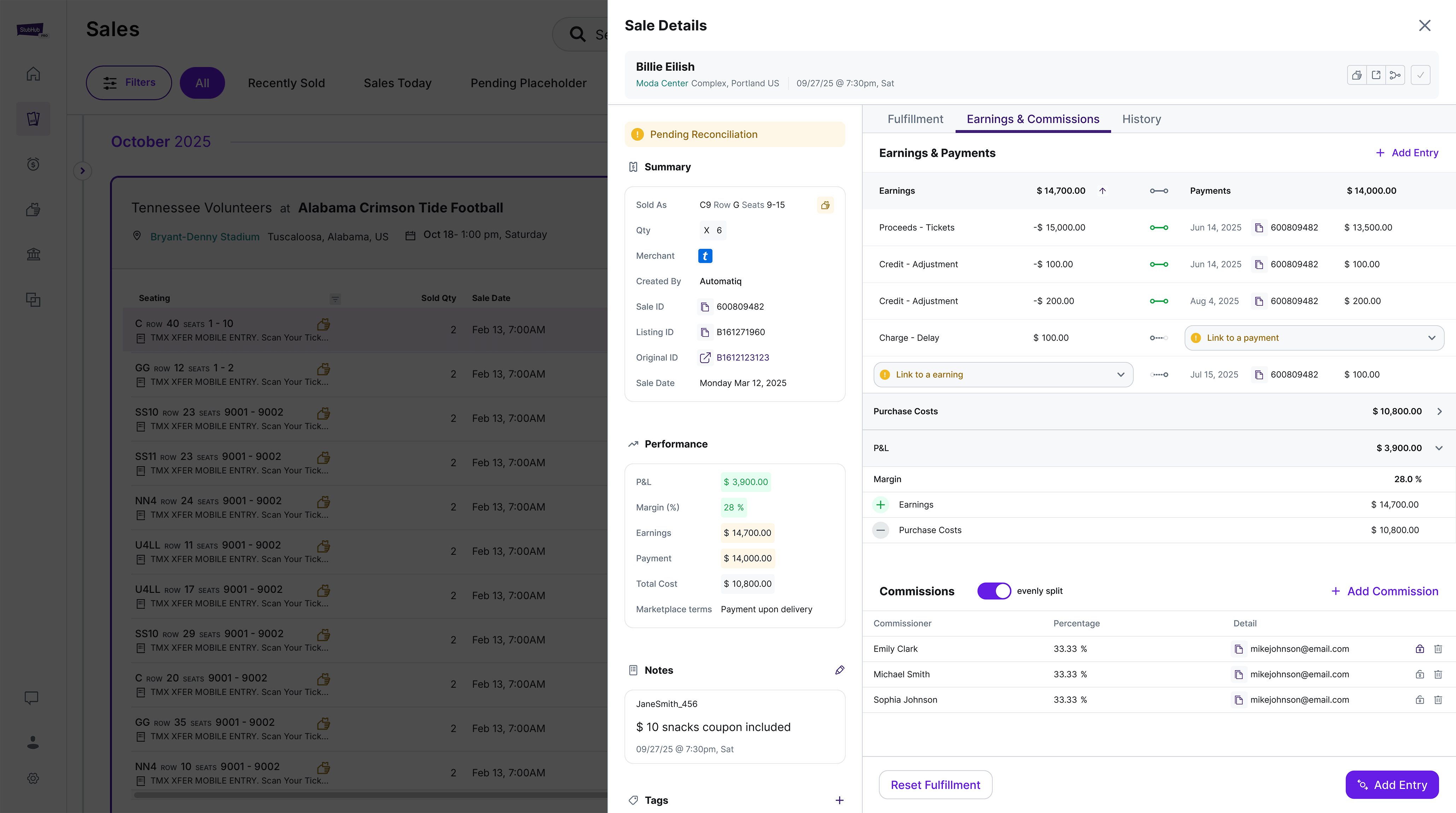
Help accountants reconcile earnings and payments with clarity and precision.
Design Hypothesis
If users can compare totals while tracing one-to-one relationships between entries, they can spot mismatches faster and maintain payment fidelity.
Design Solution
Introduced a dual-column reconciliation table showing Earnings ↔ Payments in parallel. Each row visualizes linkage status and highlights unpaired items needing action, while the summary row provides instant visibility into overall balance.
Design Intent
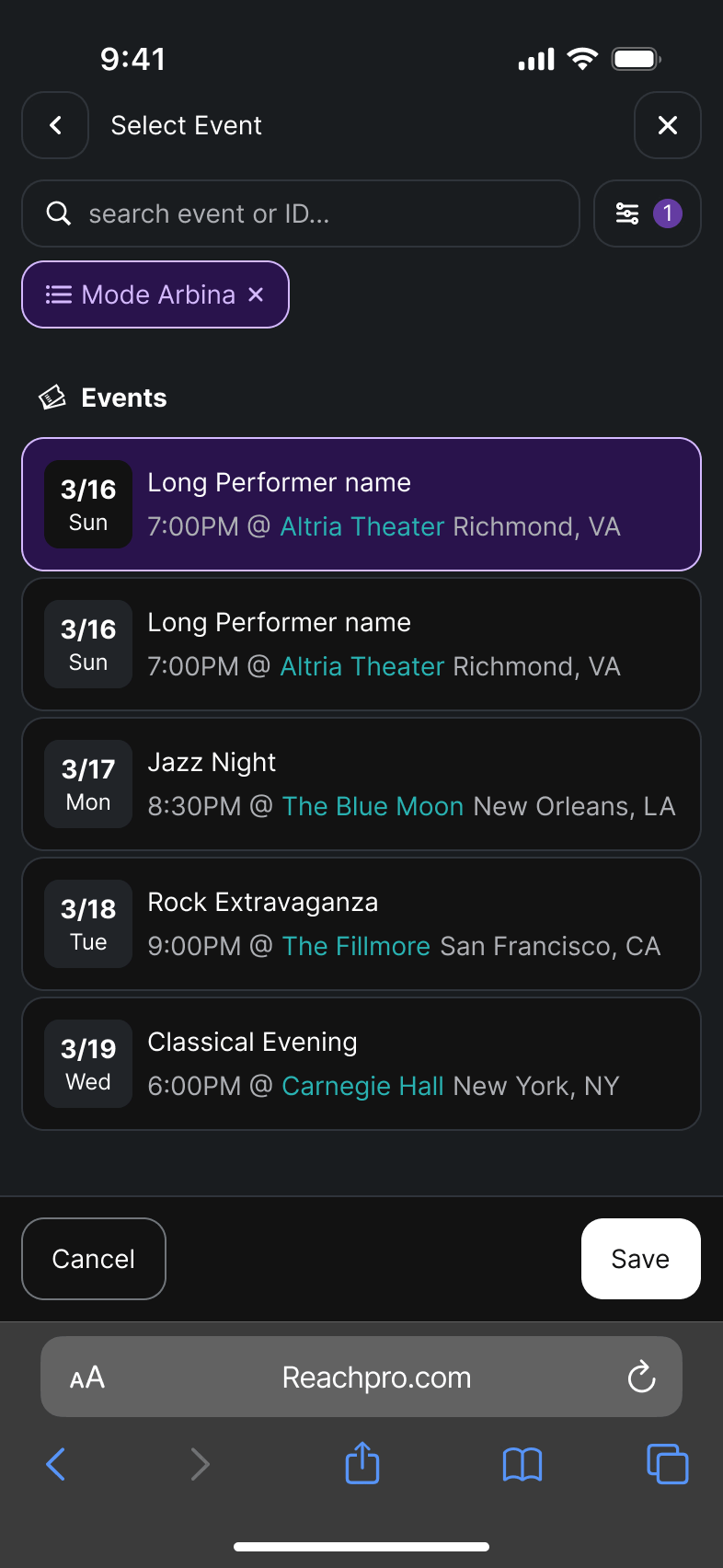
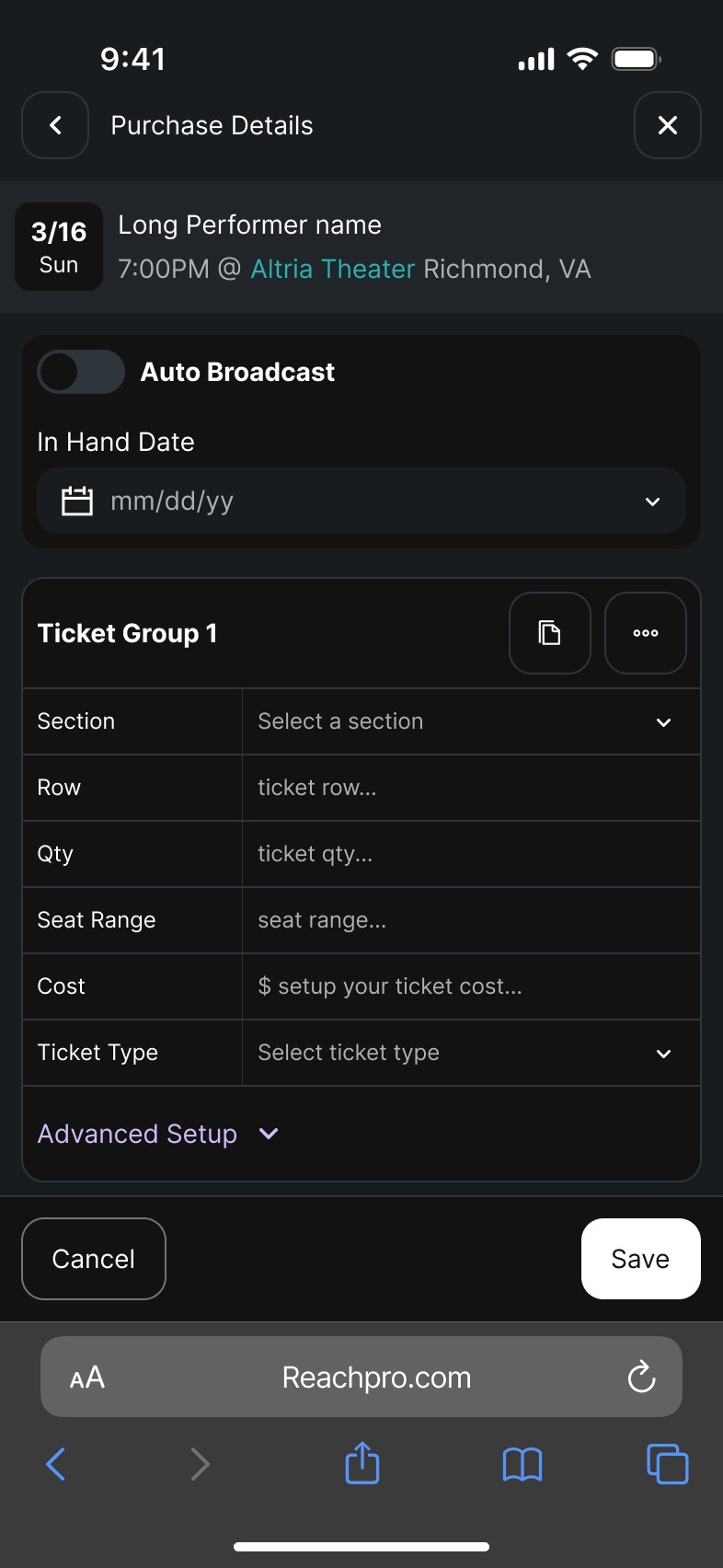
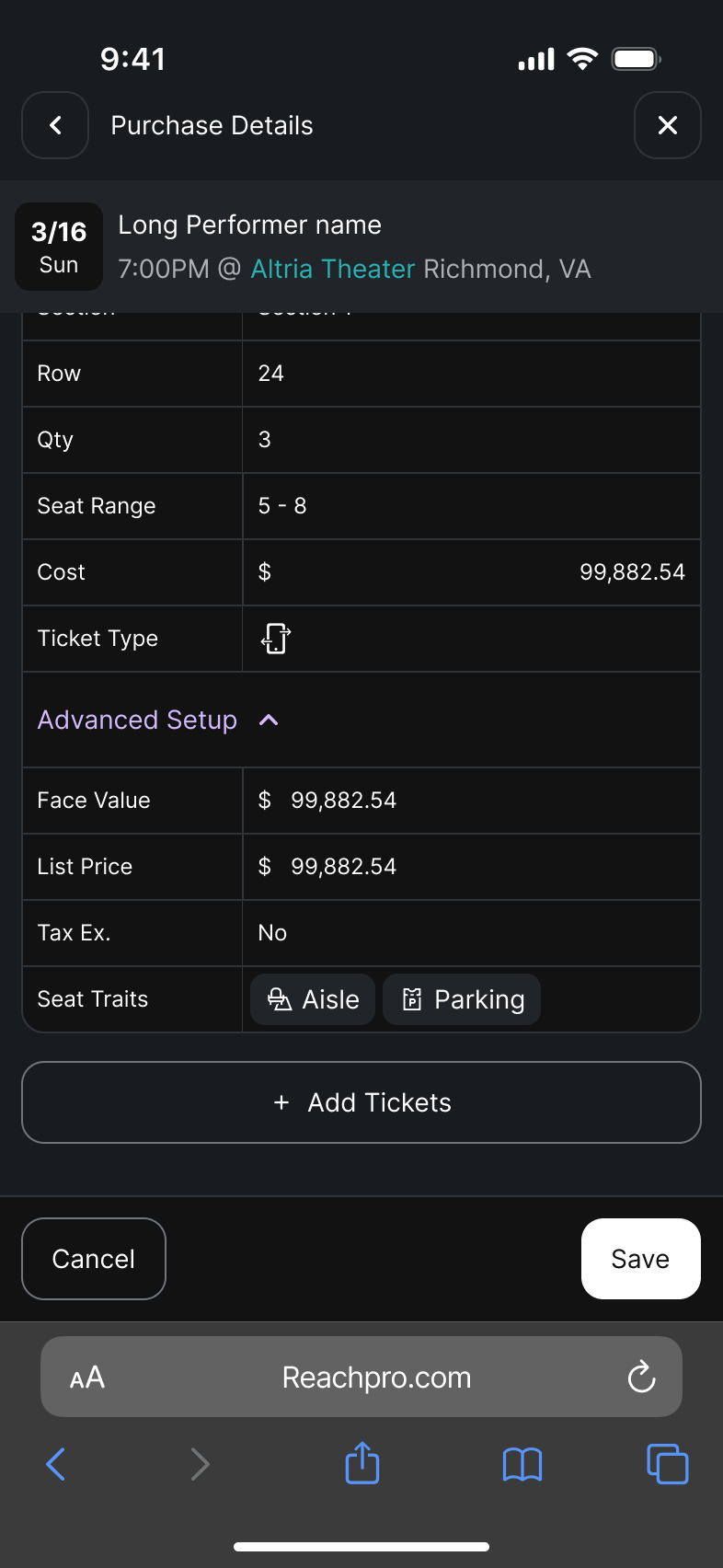
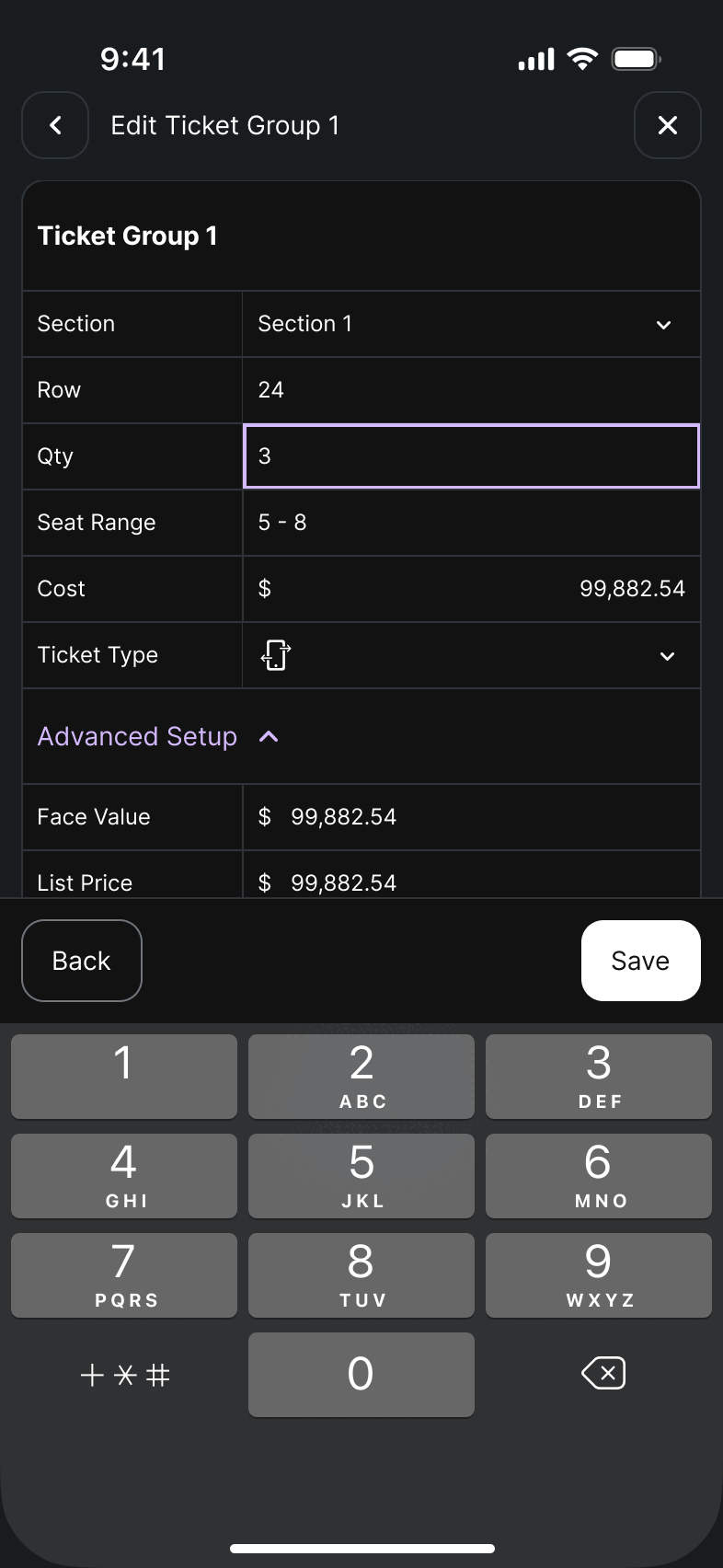
Support brokers and CEOs who frequently monitor performance and make decisions on the go.
Design Hypothesis
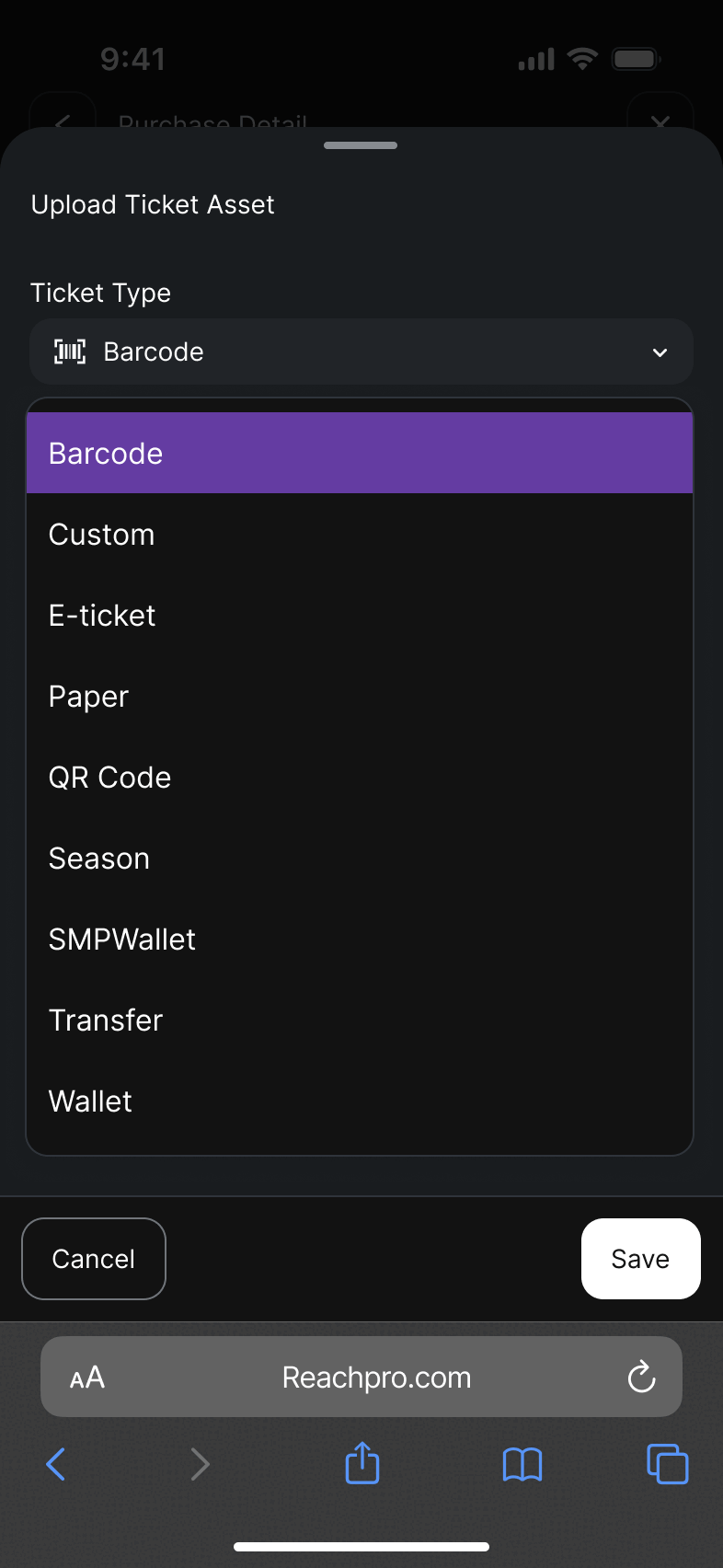
Since core personas, brokers rely on mobile to review sales, perfornmance, and GMS data, a responsive experience would increase platform engagement and accessibility
Design Solution
Adopted a mobile-first responsive framework ensuring essential data and actions remain visible across viewports.Key metrics, quick actions, and summary cards adapt seamlessly to smaller screens, allowing users to stay informed and act quickly anywhere.

.gif)